What is TikTok Promotion? Thorough explanation of how to do it and how much it costs!
Hello, I'm Shonton.
In this article, we will explain in detail how to use TikTok's Promote feature.
TikTok is more than just a trend-following platform. It is now an indispensable part of marketing strategies.
TikTok promotion is a way to increase visibility, gain more followers, and increase traffic to your website on TikTok.
Contents
Contents
What is TikTok Promote?
TikTok Promote is a feature that allows videos to appear as ads. This allows you to expand the reach of your videos and aim to gain followers and drive them to your website.
Tracking metrics for promotions
With Promote, you can track the following metrics:
- Video views
- Number of likes, comments, and shares
- Visits to your website
- User Demographic Information
Terms of Use for Promote
There are several conditions for using Promote.
- The video must be public
- Videos must contain music that can be used for commercial purposes
*Promotions are not available for videos that use copyrighted music. - Be at least 18 years old
- You must agree to TikTok's Promotion Terms and Conditions
How to access the promotion
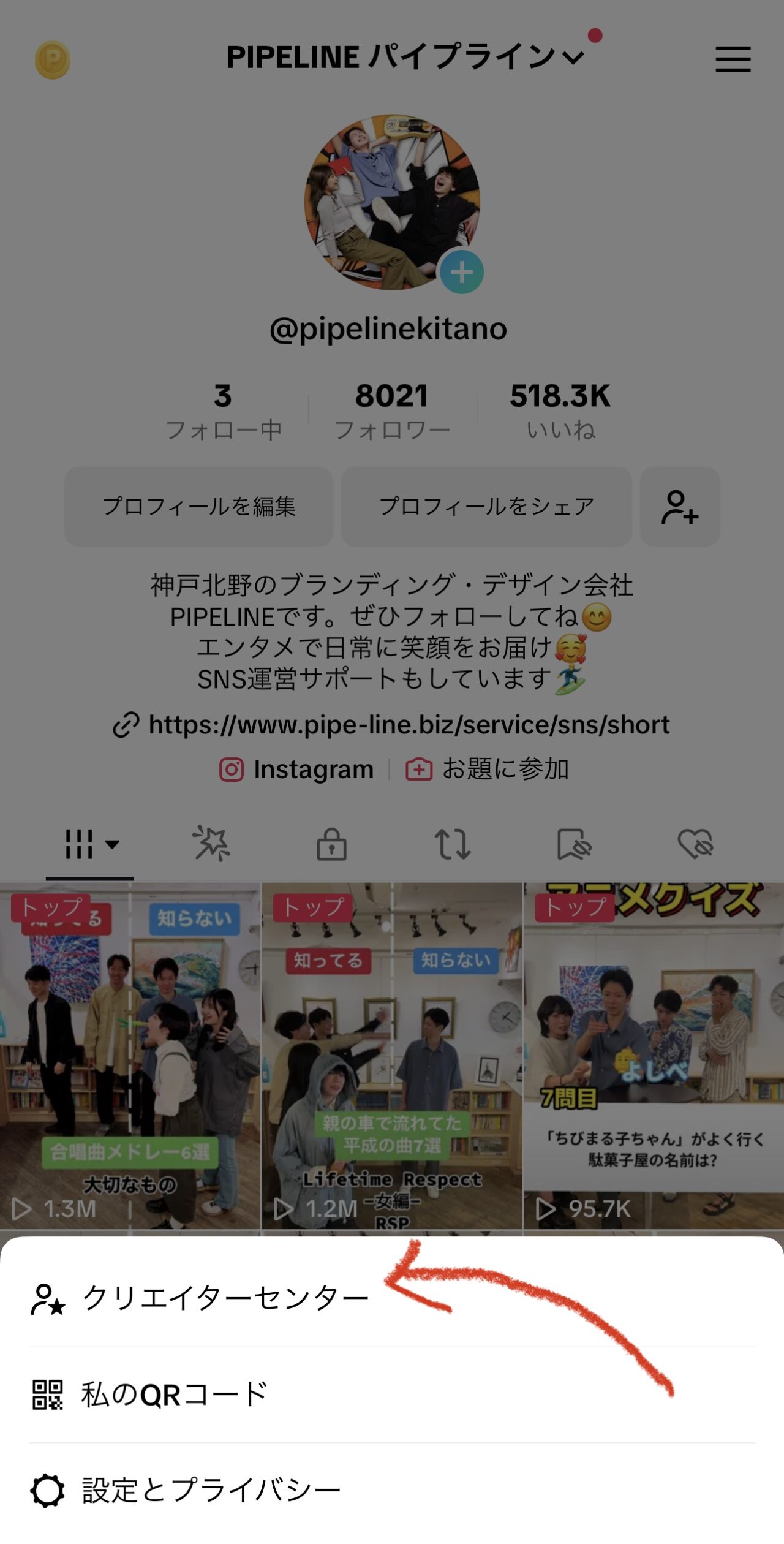
From your profile screen:
- Tap the menu button on the profile screen
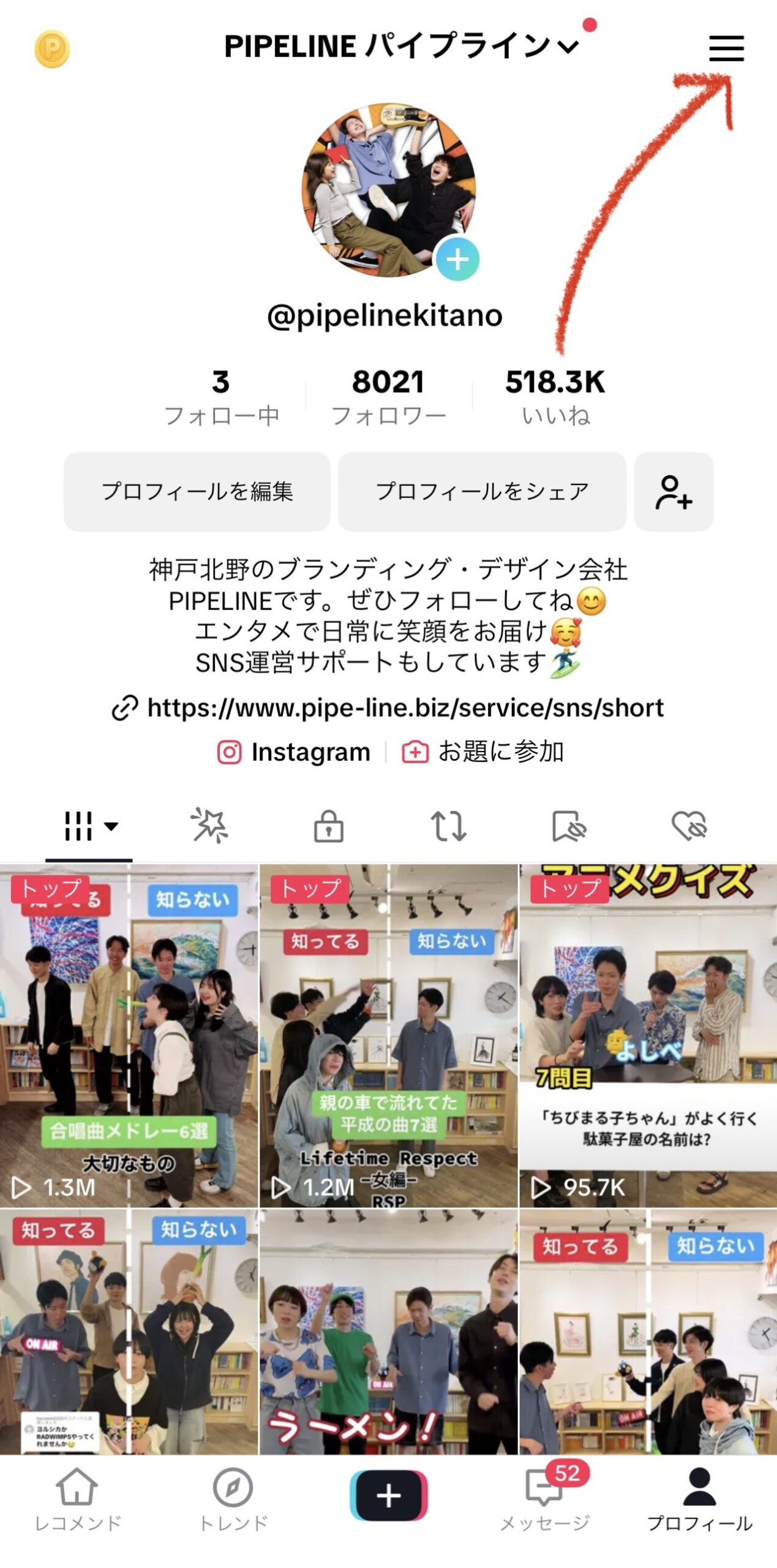
- Select the Creator Tools and tap Promote
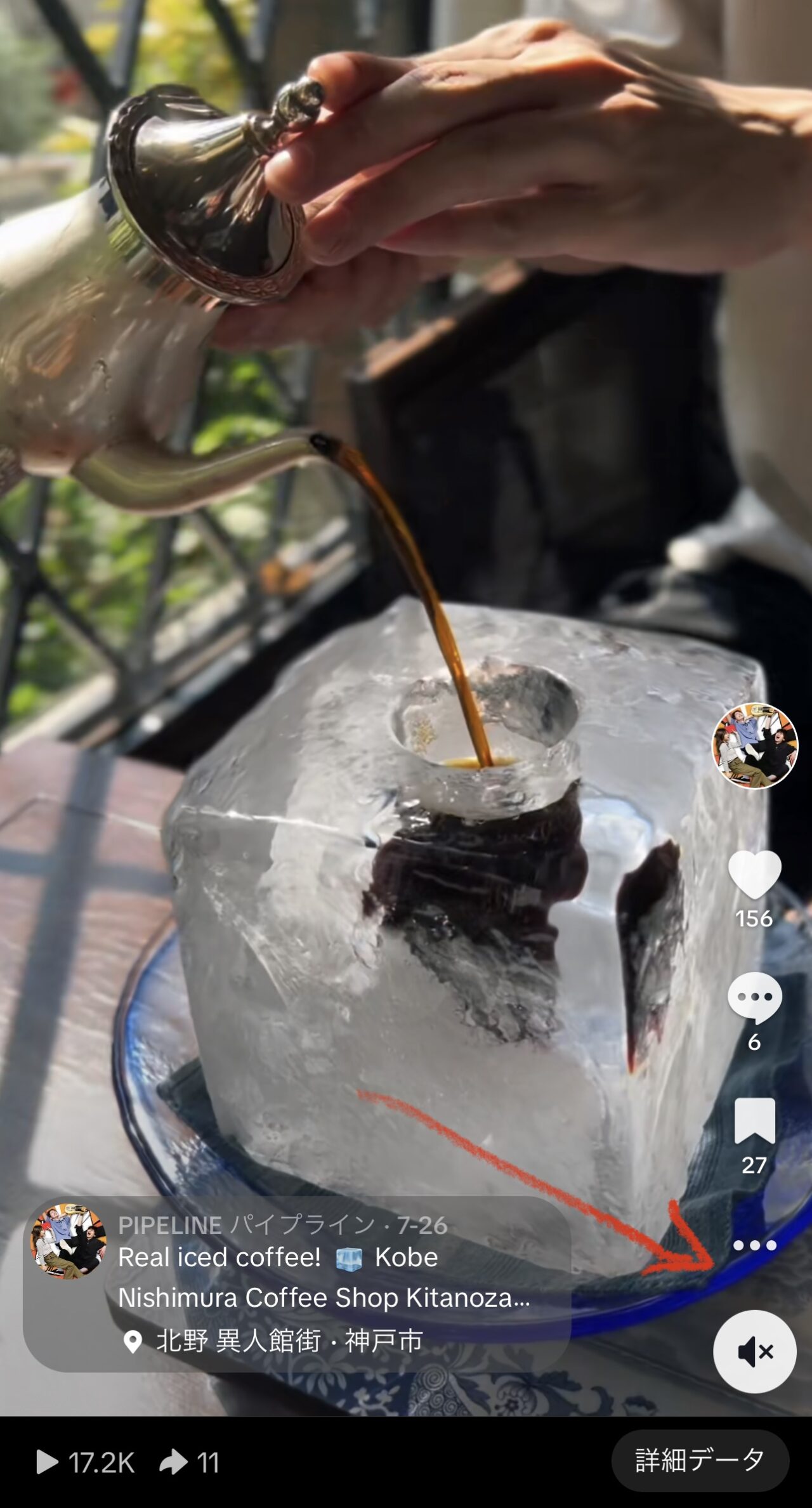
From a TikTok video:
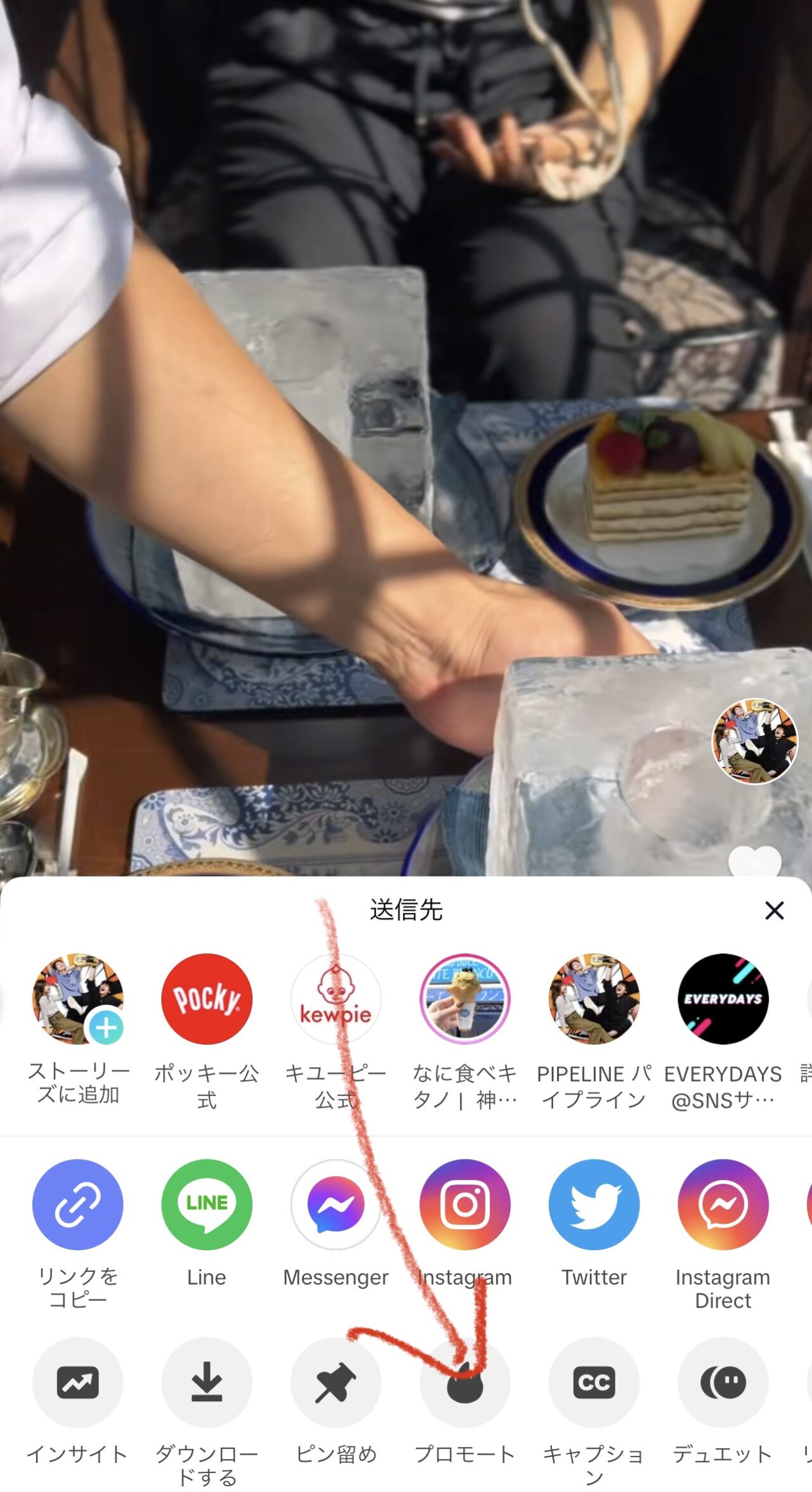
- Tap the More Actions button in the video
- Select "Promote"
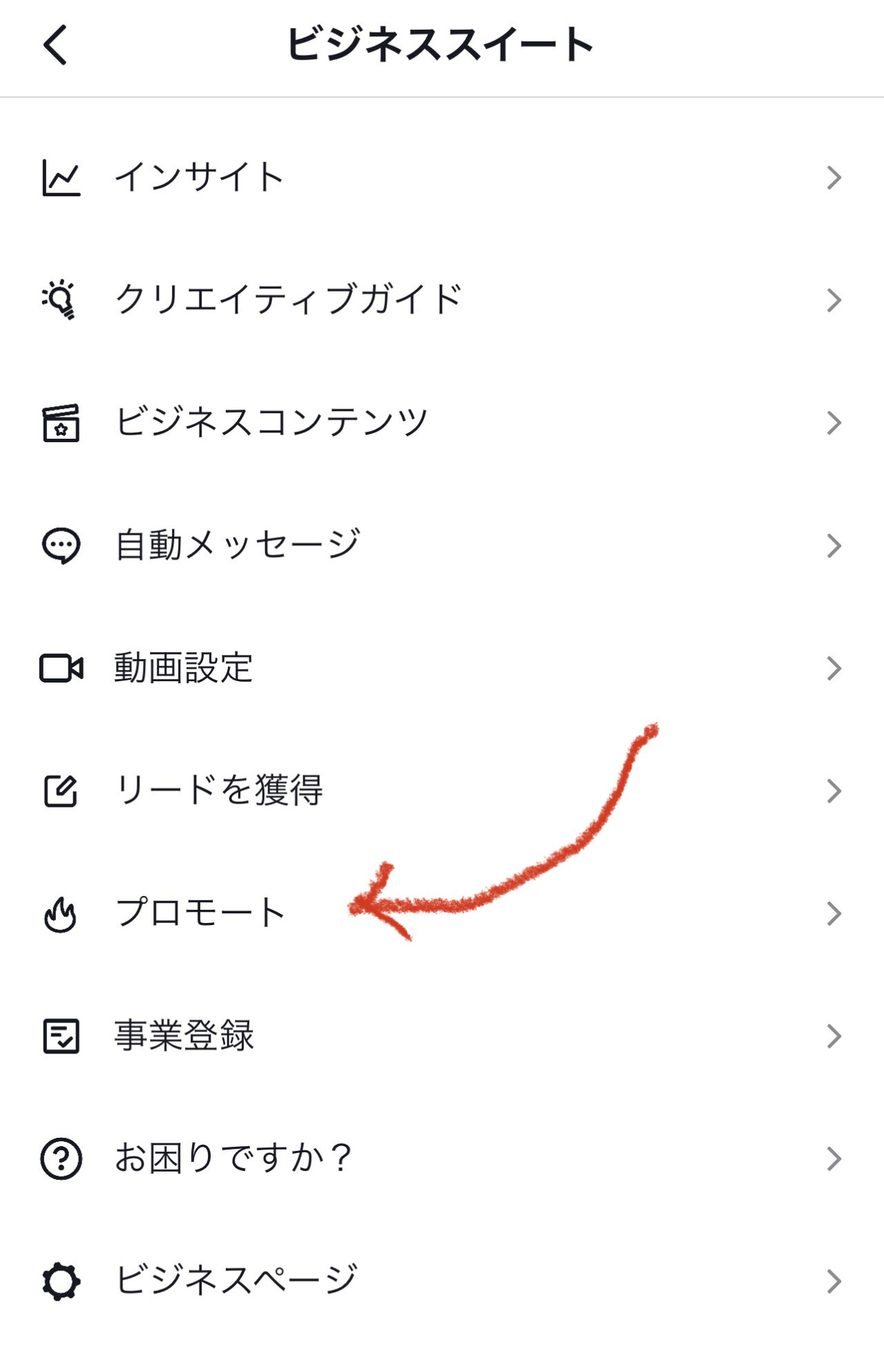
From the Business Suite:
- Tap the menu button on your profile
- Select Business Suite and
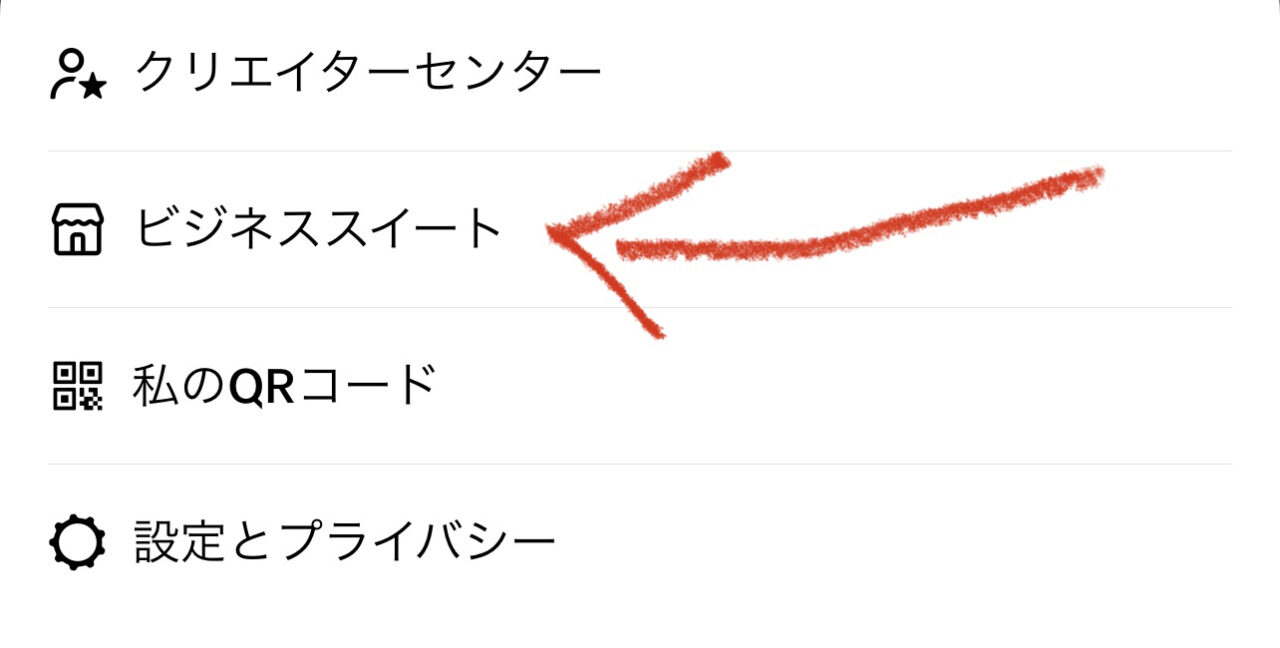
Tap Promote
How to set up >
Promote settings go from selecting videos to setting goals to determining budgets and durations. Follow these steps to set it up.
1. Go to the promotion page
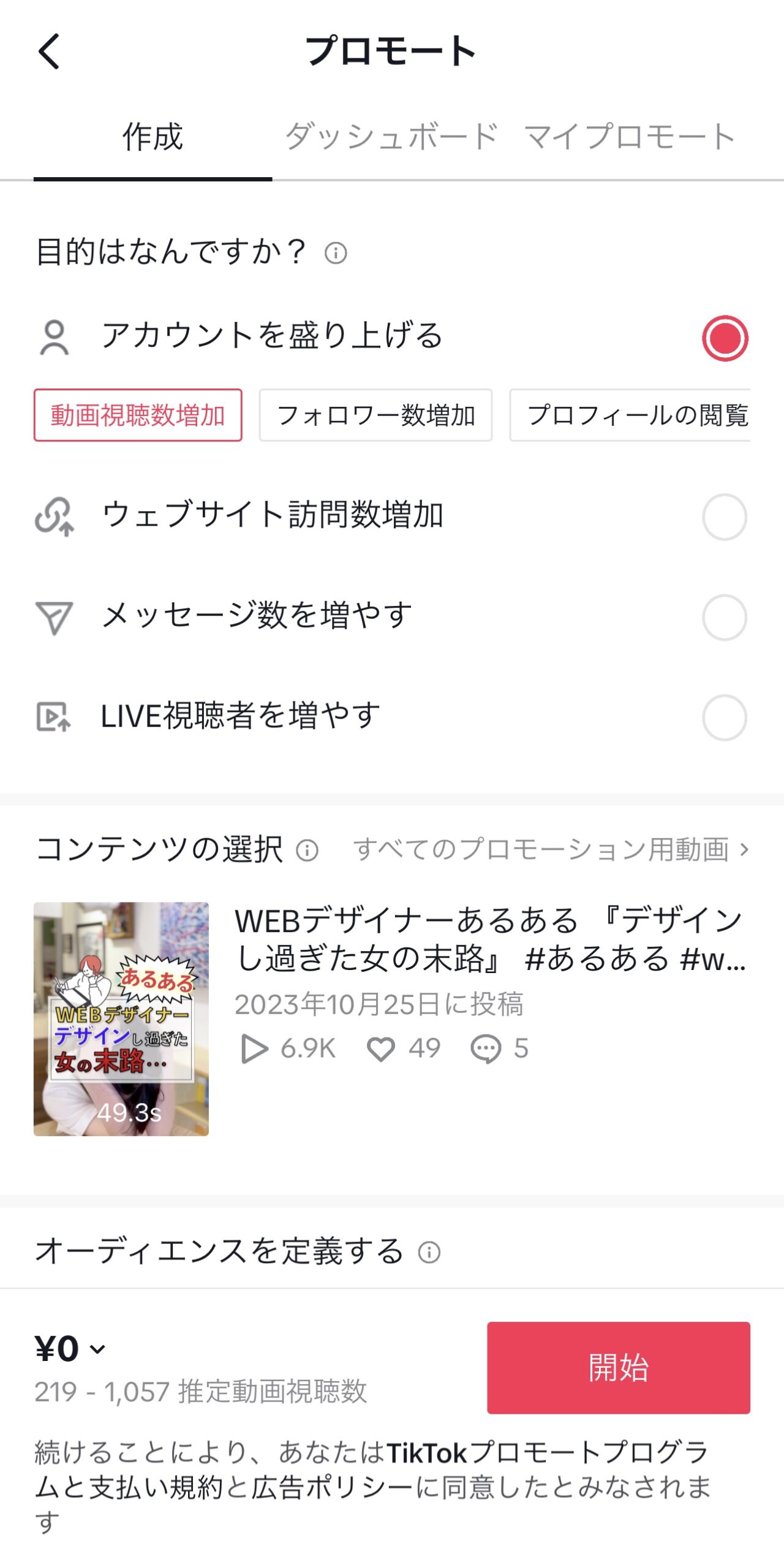
2. Choose your purpose
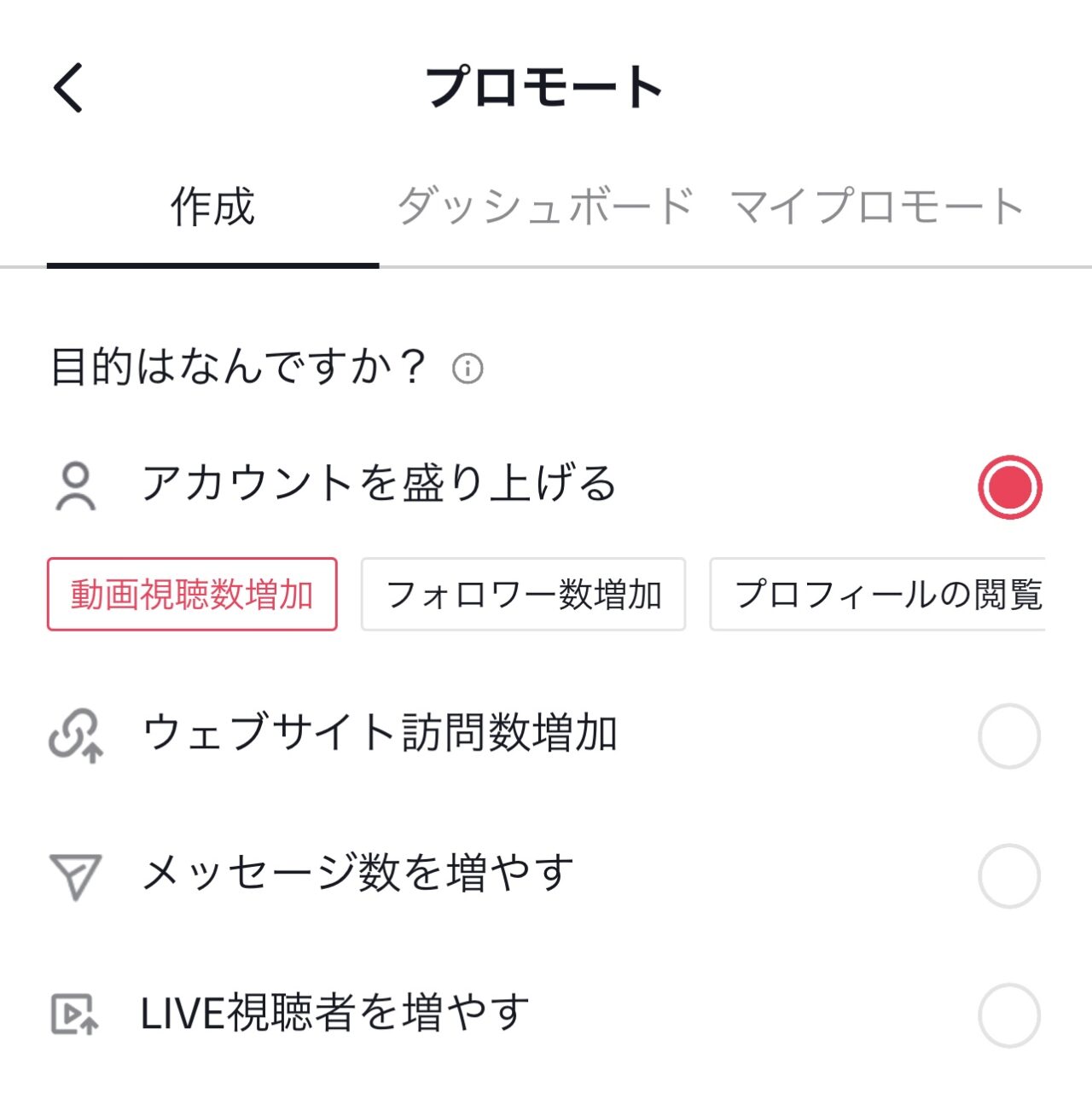
There are multiple objectives for a promotion, and you will choose only one of them.
I will explain them one by one.
Spice up your account
Use this goal to improve your account's exposure opportunities and viewer engagement.
Choose one of three strategy options within your goal to achieve results in your desired area.
Increase in video views
If you want as many users as possible to watch this content and want to like, comment, and share from users, choose this option.
*This option can also help you get more followers and profile views on your account, but
It's not as much as "getting more followers" or "getting more profile views".
Increase in follower count
If you want as many users as possible to follow this account in the future and want to engage with them, choose this option.
Tip: TikTok imposes a limit on the number of followers on many features.
Increasing your followers can help you unrestrict various features.
*This option can also help increase video views and profile views, but
It's not as much as "increasing video views" or "increasing profile views".
Get more profile views
Selectthis option if you are featured in this account's profile about your product, service, portfolio, or brand.
Tip: If you want users to view and watch more of your account or content, try encouraging them to view your profile.
*The actual number of views on your profile may be higher than the number shown in "Profile Browsing History".
This feature only measures users who have "Profile browsing history" enabled.
Increase in website visits
Choose this option if you want users to browse your online store, learn more about your event, or download your app.
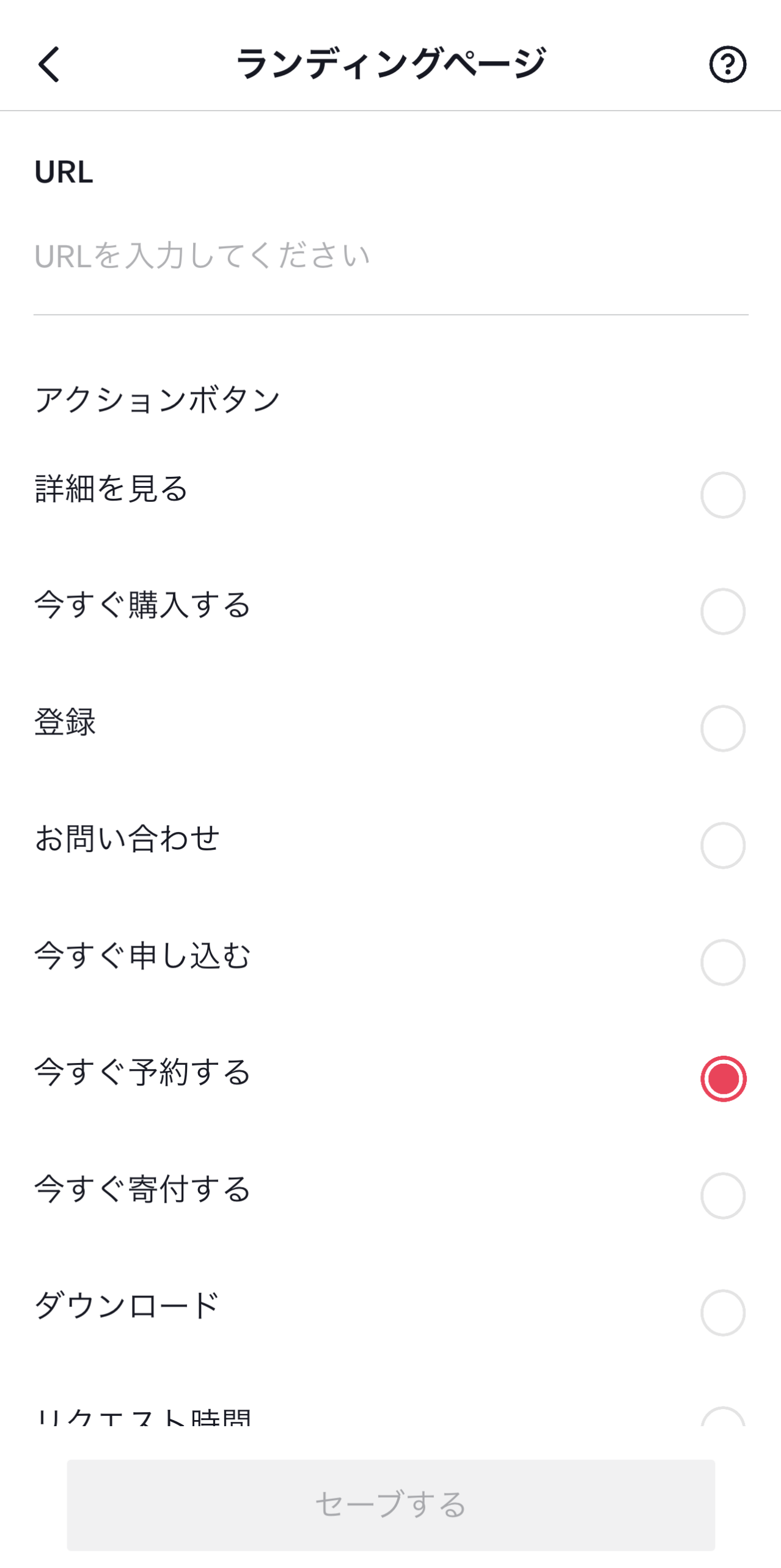
Tip: When you select this goal, you can add action buttons such as "Learn more" or "Buy now".
Increase the number of messages
Choose this option if you are a service provider and want to increase inquiries from potential customers regarding requests, appointments, or consultations.
Tip: If your goal is to increase your message, encourage users to engage with them by asking questions in the headline or starting with conversational sentences.
If you want to receive more messages, try increasing your promotion budget or extending the duration.
Increase your LIVE audience
If you want as many users as possible to join your account's LIVE videos, choose this option.
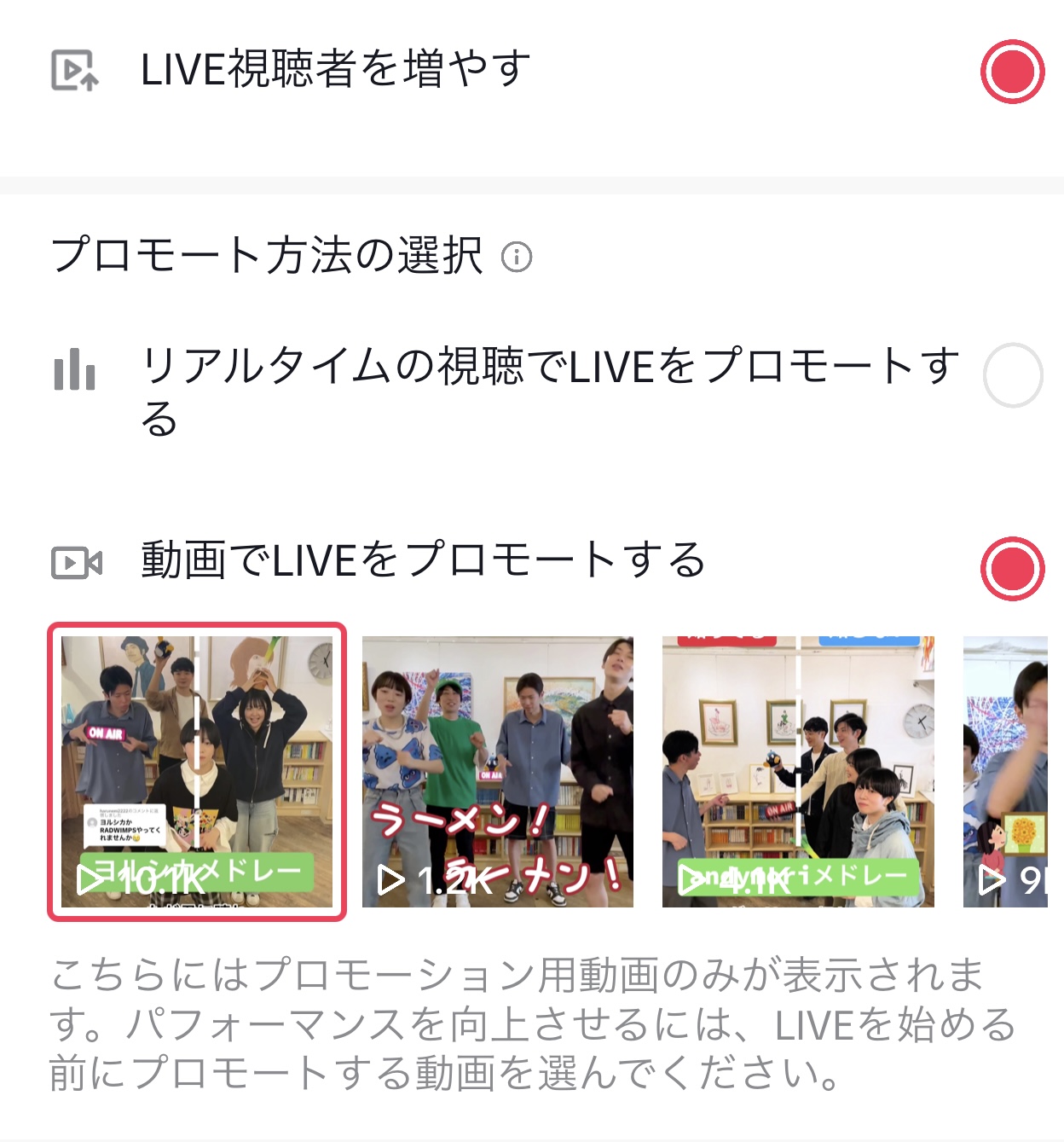
There are two ways to promote LIVE, and some ways to promote it with videos.
Tip: This option is only intended to direct users to a LIVE video.
Try to retain your directed audience in other ways.
3. Audience settings
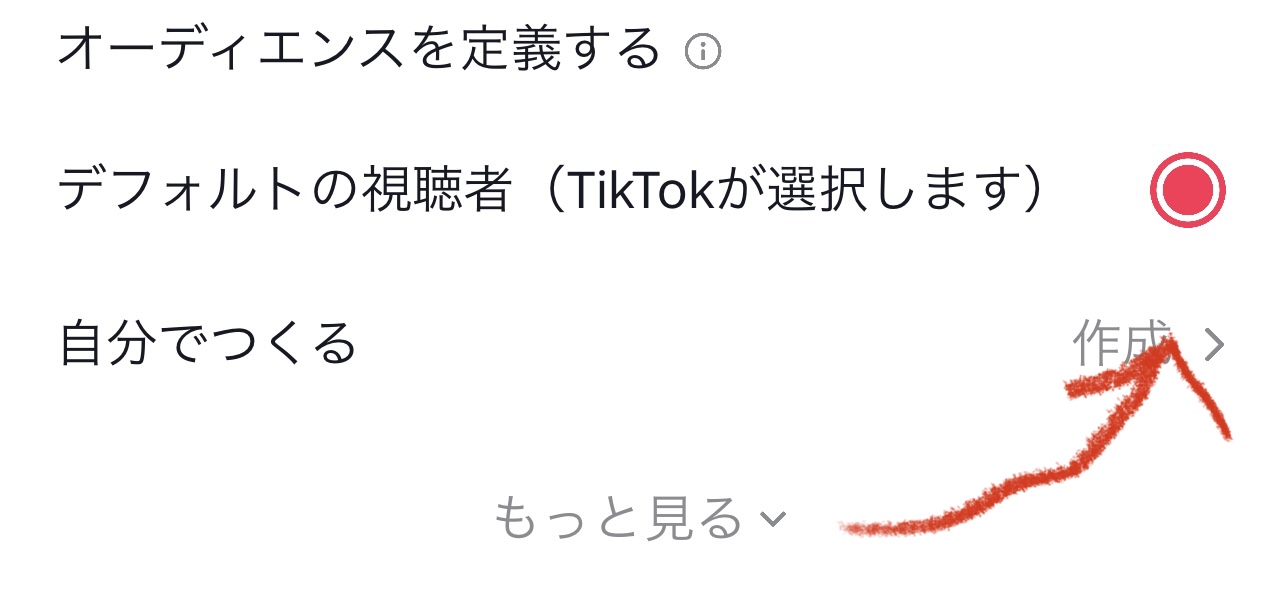
can be a viewer that TikTok chooses< but br /> If you want to narrow it down to a specific audience, you can specify your audience yourself.
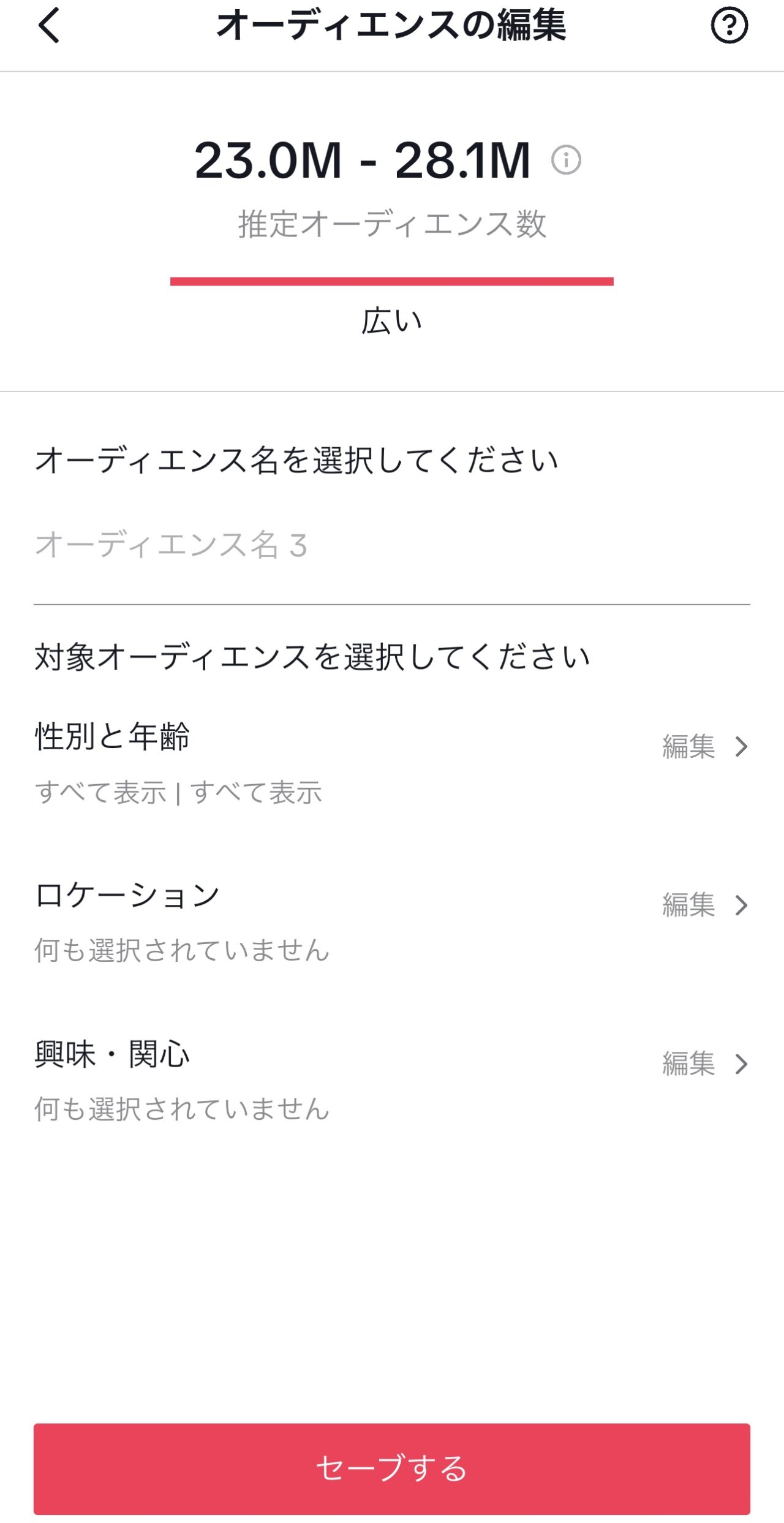
Set the audience you want to promote.
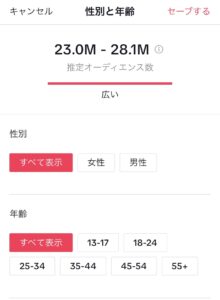
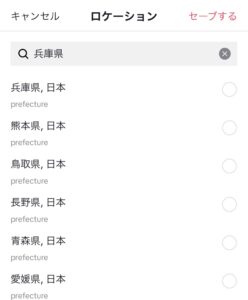
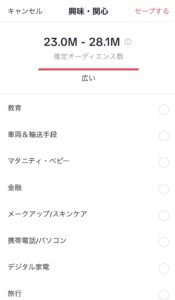
Set your gender, age, place of residence, and interests.
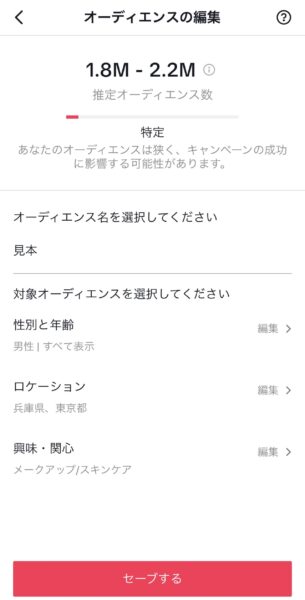
This will allow you to narrow down the audience base you are promoting.
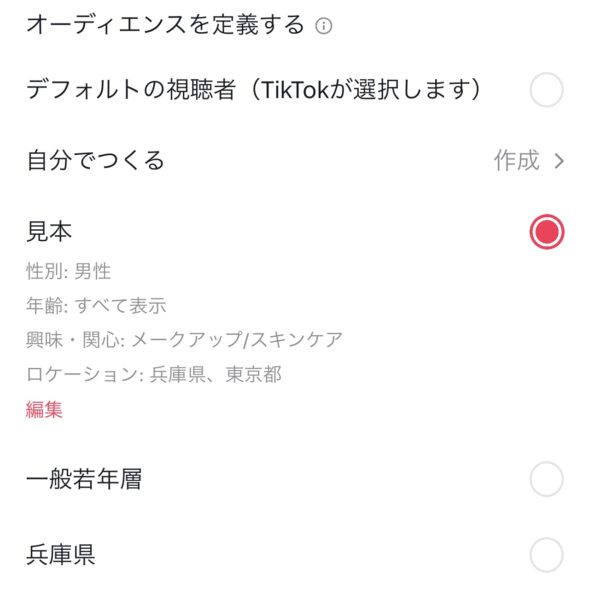
Select the settings you created.
4. Set a budget and time frame
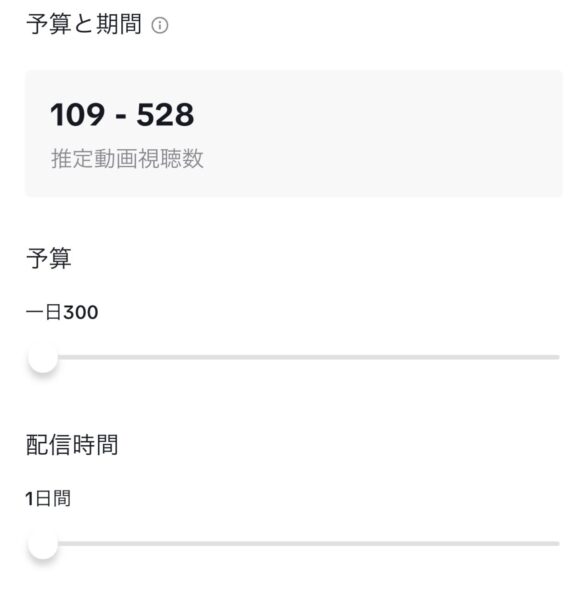
Here you decide on a daily budget and delivery period
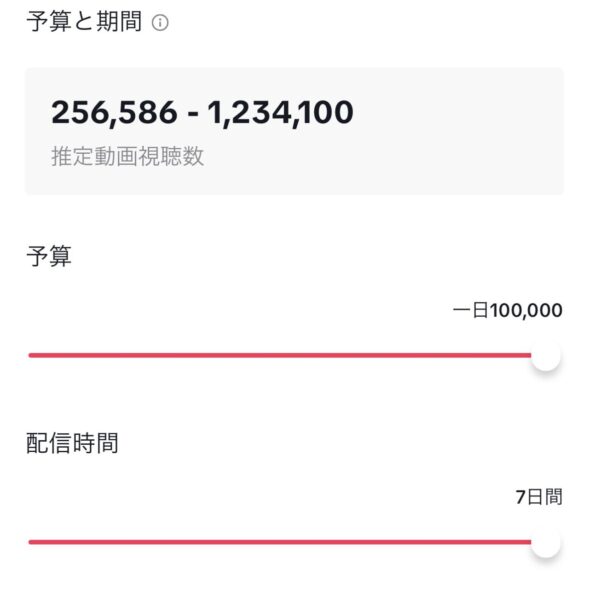
The budget is 300 yen to 100,000 yen per day
The period can be customized from 1 to 7 days.
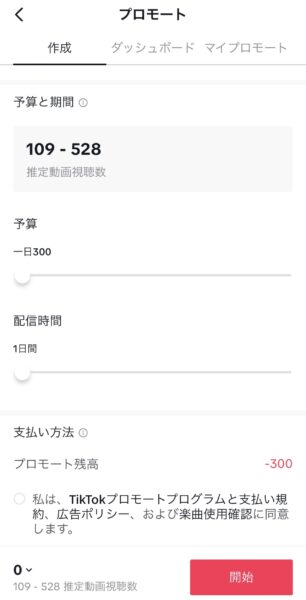
Add payment information (Android)
Or top up coins (iOS) and then
Check your agreement to the terms and conditions and song use confirmation.
Tap Start Promotion
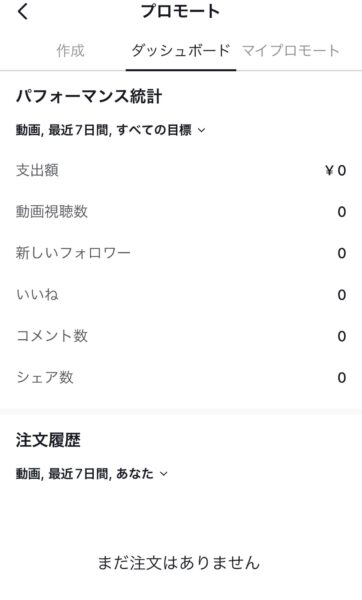
Promote Video Performance
On the promotion details page, you can check your video's performance and statistics.
This includes things like views and link taps.
Frequently Asked Questions >
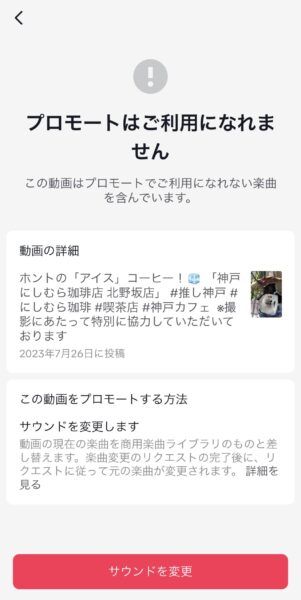
Q.I have a video that I can't promote
.A. Maybe it's because of the music in the video.
Copyrighted music cannot be used for promotion or advertising.
summary
In this article, we have explained TikTok's promotion feature, but please note that promotion and advertising are two different things.
I will explain that someday.
Come and take a look
once in a while
↓We have also summarized how to create a TikTok business account and how to register a business.
[2023 Latest Edition] Top 100 Recent TikTok Trending Songs