How to make and use AI videos with ViggleAI
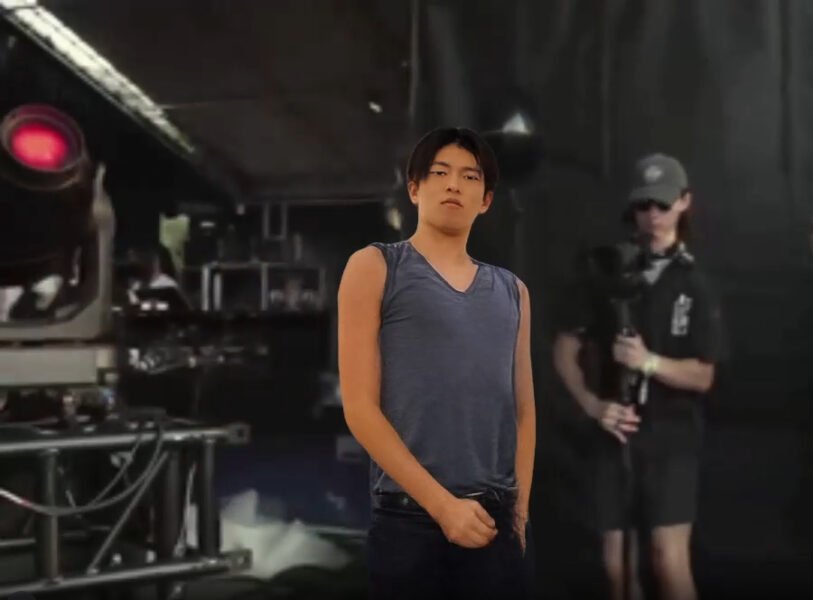
AI videos (Mizuhara meme videos) by Ippei Mizuhara + Lil Yotti that are popular all over the world can be made with ViggleAI.
In this article, we will briefly explain how to create one.
Contents
- 1 Join the ViggleAI server on Discode 2 How to create an AI video in the style of Ippei Mizuhara with ViggleAI
- 3 How to Make a MIX Video with ViggleAI 4 Conclusion
Contents
Join ViggleAI server with Discode
How to create an AI video in the style of Ippei Mizuhara with ViggleAI
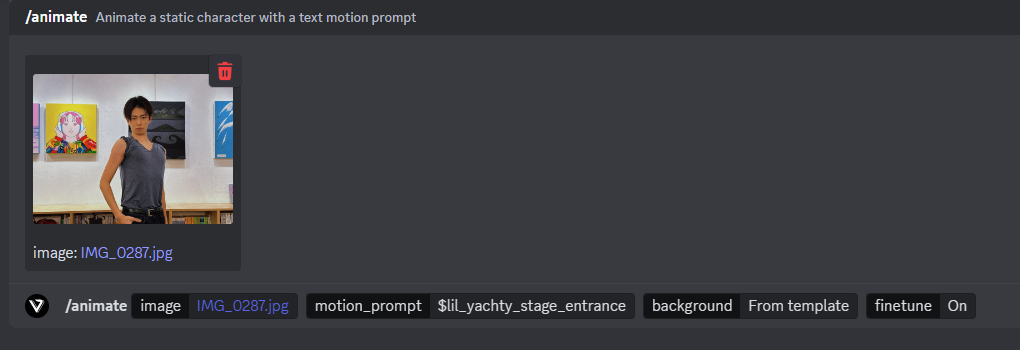
Discode in the animate-1 to animate-15 channel/animate command, Attach an image.
In motion_prompt (motion prompt), enter >$lil_yachty_stage_entrance.
For background, select From template, and finetune set On for finetune.
press Enter Key and wait for a while, and the video will be automatically generated and you're done.
Completed Ippei Mizuhara-style video
How to Make a MIX Video with ViggleAI
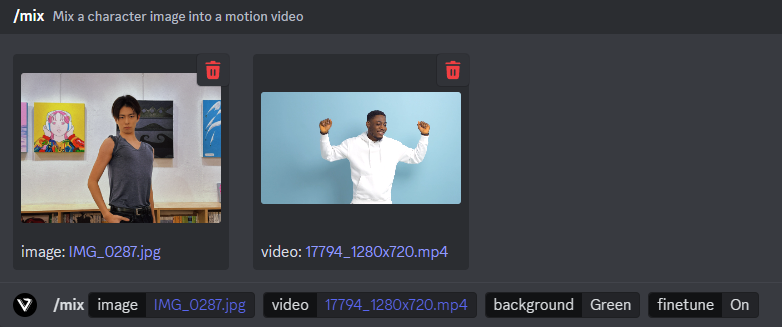
/mix command to attach the image.
Upload > images with <span style="color: #ff6600;"> videos.
background can be selected from either Green or White and finetune (tweak) can be set toOn I will do it.
press Enter Key and wait for a while, and the video will be automatically generated and you're done.
Finished MIX video
Finally
ViggleAI is still available for free at this time.
Anyone can easily make interesting videos, so please play with them.
@pipelinekitano Design Company Staff Introduction #水原一平 #水原ミーム #社員紹介 ♬ Original Songs - PIPELINE