【2023 Latest】 How to get on international recommendations on TikTok

Hello Shoton!
In this article, we will tell you how to send TikTok videos internationally.
There is a lot of information on the Internet, but it didn't tell me how to make sure that people overseas could see it, so this time I'm going to tell you all the ways I was able to actually send TikTok videos overseas > my !
There may be an easier way, but this method will definitely reach you overseas!
Contents
- 1 What you need to send TikTok videos abroad 2 How to set TikTok location abroad
- 3 Finally, the important thing
Contents
What you need to send TikTok videos abroad
Below are the elements that we actually used to reach international audiences on TikTok from Japan.
SIM-free smartphone (android may be recommended)
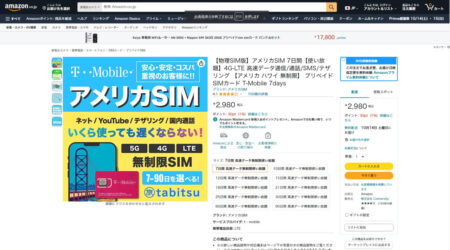
Overseas SIM T-Mobile Card
VPN app (I use NordVPN)
APKPure App
New TikTok account
How to Set TikTok Location to International >
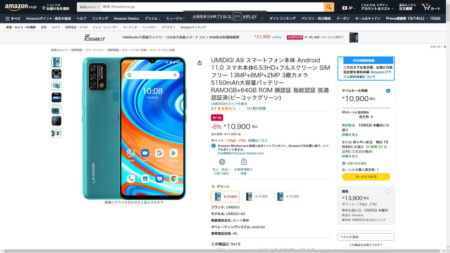
1. Get a SIM-free smartphone (android) and an international SIM T-Mobile card
Before setting up your smartphone, you need a foreign SIM card.
This is important because if your smartphone is abroad< you need to "recognize" >span style="color: #ff0000;".
Overseas SIMs are okay if they can only be used for a few days for travel on amazon!
SIM cards are not activated, so please purchase a SIM card for the region you want to call.
What I actually bought↓
2. Factory reset your phone
Once you have a SIM-free smartphone (android) and an international SIM T-Mobile card, reset your smartphone just in case.
After initialization, do not enter anything and insert an overseas SIM card into your smartphone.
After that, follow the on-screen instructions to finish the initial setup.
(Basically, I skipped where I could skip, and the language was English just in case.) )
3. Install a VPN
Sinceyou have an international SIM card on your smartphone and it is already set up to work properly, you need to install a VPN.
There are various types of VPN services, but
Basically, I think you can use any VPN service as long as it supports the region you want to send from.
By the way, I used NordVPN.
article summarizing recommended VPNs will be released at a later date...
*Please do not access the Google Play Store when installing the VPN.
To access the Google Play Store, you need to log in to your Gmail account.
Your Gmail account and mobile number may be linked, so
When you visit the Google Play Store, you may see all the information including the app in your own language.
log in to your Gmail account on your phone until you have finished setting up your TikTok account.
To download and set up a VPN, visit each VPN service's website, register an account, select your preferred pricing plan, and complete the payment.
It is recommended to register and pay (if paid) on a computer or another smartphone.
Once you have a VPN account, log in with your overseas SIM phone and download the app to your phone.
Do not get the app on Google Play at this time.
Instead, download the APK file.
For NordVPN, click here
https://nordvpn.com/ja/download/android/
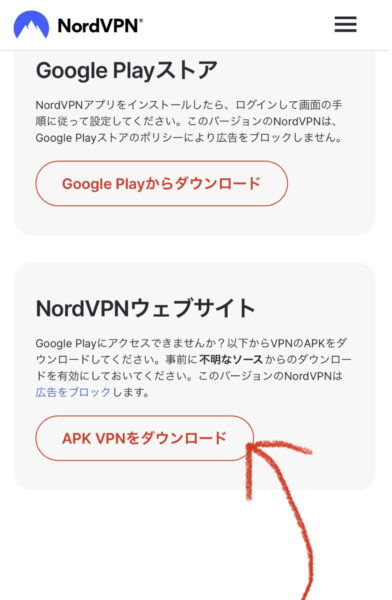
Once you have downloaded the VPN APK file, open it and install it.
Once the VPN is installed, change your location.
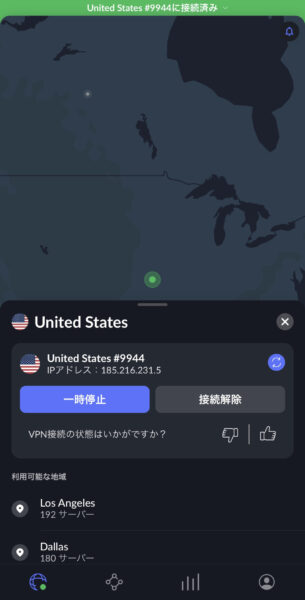
You can now change your location.
4. Download APKPure
As you can imagine, TikTok does not download from the Google Play Store.
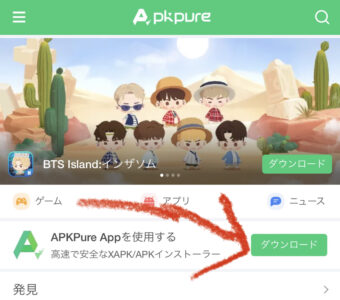
Instead, use APKPure to get the TikTok APK file.
APKPure downloads apps without going through the Google Play Store.
To get APKPure app, type APKPure in your browser.
Click on the first website (https://m.apkpure.com) that appears.
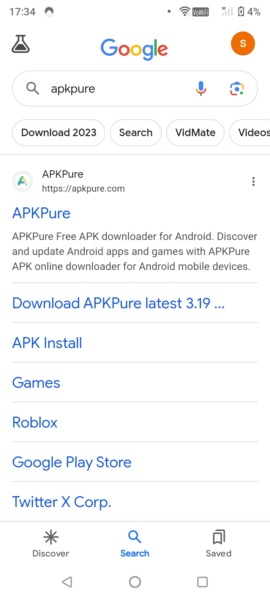
Then download APKPure App on your phone.
5. Download the TikTok APK file
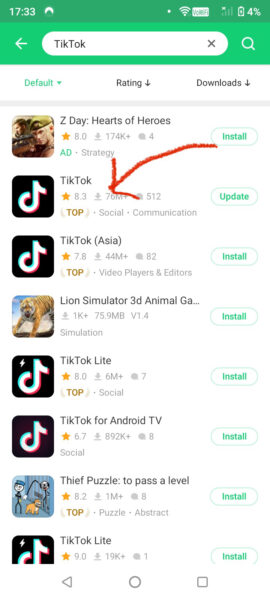
Once the installation of APKPure has completed, open the app and type TikTok in the search box.
You will see several apps with the TikTok logo, but we recommend installing an APK with a "social" tag that has a lot of ratings and comments.
6. Create a new TikTok account
By now, you should have an international SIM card inserted into your smartphone, a VPN app installed, and a TikTok app installed through the APK file.
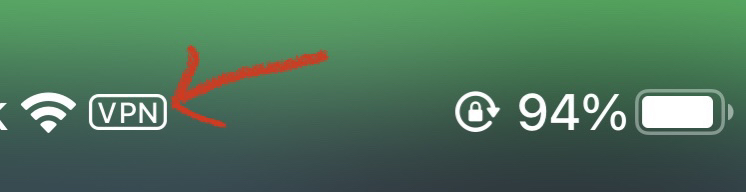
Before opening TikTok, make sure your VPN is connected. You will see a small icon in the top bar of your device.
Now all you have to do is create a new TikTok account as usual.
last thing to do
When posting, be sure to connect to a VPN!