How to create and use 3 fire effects in AE!
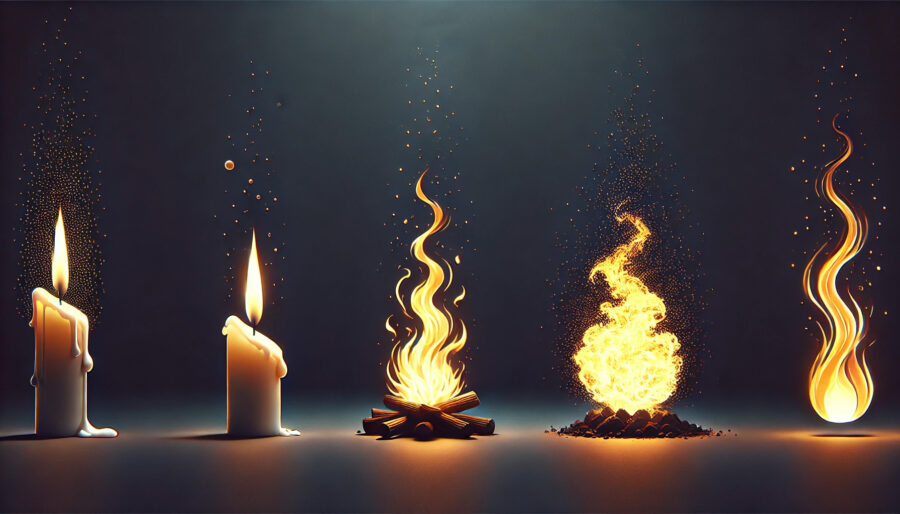
In this article, we will show you how to use effects to create three different flames.
(1) Candle flame
Features
They are perfect for romantic atmospheres and calming scenes. This effect is often used not only in realistic images but also in animated works.
How to create
Step 1
Create a new composition.
Step 2
Apply the "CC Particle Systems II" effect to create the underlying shape of the flame.
Step 3
Recreate a realistic flame with "Blur (Gauss)".
Step 4
Use "Glow" to add a gentle light around the flames.
Step 5
Adjust the blur with "Tone Curve" and you're done.
(2) Bonfire flame
Features
It is a "bonfire flame" that expresses camping and fireplaces in nature.
It is perfect for hot battle scenes by increasing firepower.
How to create
Step 1
Create the flame shape of the bonfire with "Fractal Noise". Adjust the size of the flame by adjusting the contrast and scale.
Step 2
Apply the "Gradient" effect to adjust the height of the flame.
Step 3
Adjust the blur with "Tone Curve" and you're done.
(3) Anime-style flame
Features
It is an "anime-style flame" that is often seen in animation works. It is characterized by cartoon style and stylized expressions.
How to create
Step 1
Form a flame with the shape tool.
Step 2
Apply the "CC Mr. Mercury" effect to adjust the fluctuations and shapes of the flames.
Step 3
Use "Glow" to add a gentle light around the flames.
summary
In this article, we have introduced how to make three effects: "Candle Flame", "Bonfire Flame", and "Anime-style Flame", and how to use each of them. By using flames differently for each scene, you can give your video work realism and power.
Please take advantage of the flame effect!