[Anyone can do it easily! ] Let's make TikTok effects (filters) on your smartphone!

Hello and good evening!
This is Pak Pak Celery, a designer from PIPELINE Co., Ltd.
In this article, I will explain how to create TikTok effects (filters) on your smartphone.
Contents
- 1 What Are TikTok Effects (Filters)?
- 2 How to
- make an effect (filter) on your phone3 Conclusion
What are TikTok effects (filters)?
Someof you may not know about TikTok effects (filters), so I will briefly explain what effects (filters) are before we get into the main topic.
TikTok effects (filters) are tools that help you make your videos fun and personal.
Recognize faces and add funny effects, add music and text to your videos, and change the background.
To find an effect (filter), open the list of effects from the shooting screen and select the one you like.
You can also look for trending effects (filters).
The effects (filters) are easy to use, you can choose them before you shoot a video or add them after you shoot them.
You can also imitate the effects (filters) used by others.
These effects will make your TikTok videos more engaging, and the effects (filters) will enhance the fun of TikTok and make it easy for anyone to create interesting videos.
If you are curious about TikTok, you can also check out this article.
A thorough explanation of how it goes viral on TikTok!
[2023 Latest Edition] Top 100 Recent TikTok Trending Songs
Explanation of the time zone and genre that goes viral on TikTok!
How to make effects (filters) on your phone
To create effects (filters) on your phone, you must first install the TikTok app and create an account.
Once you've installed and created your account, tap the + sign at the bottom of the home screen.
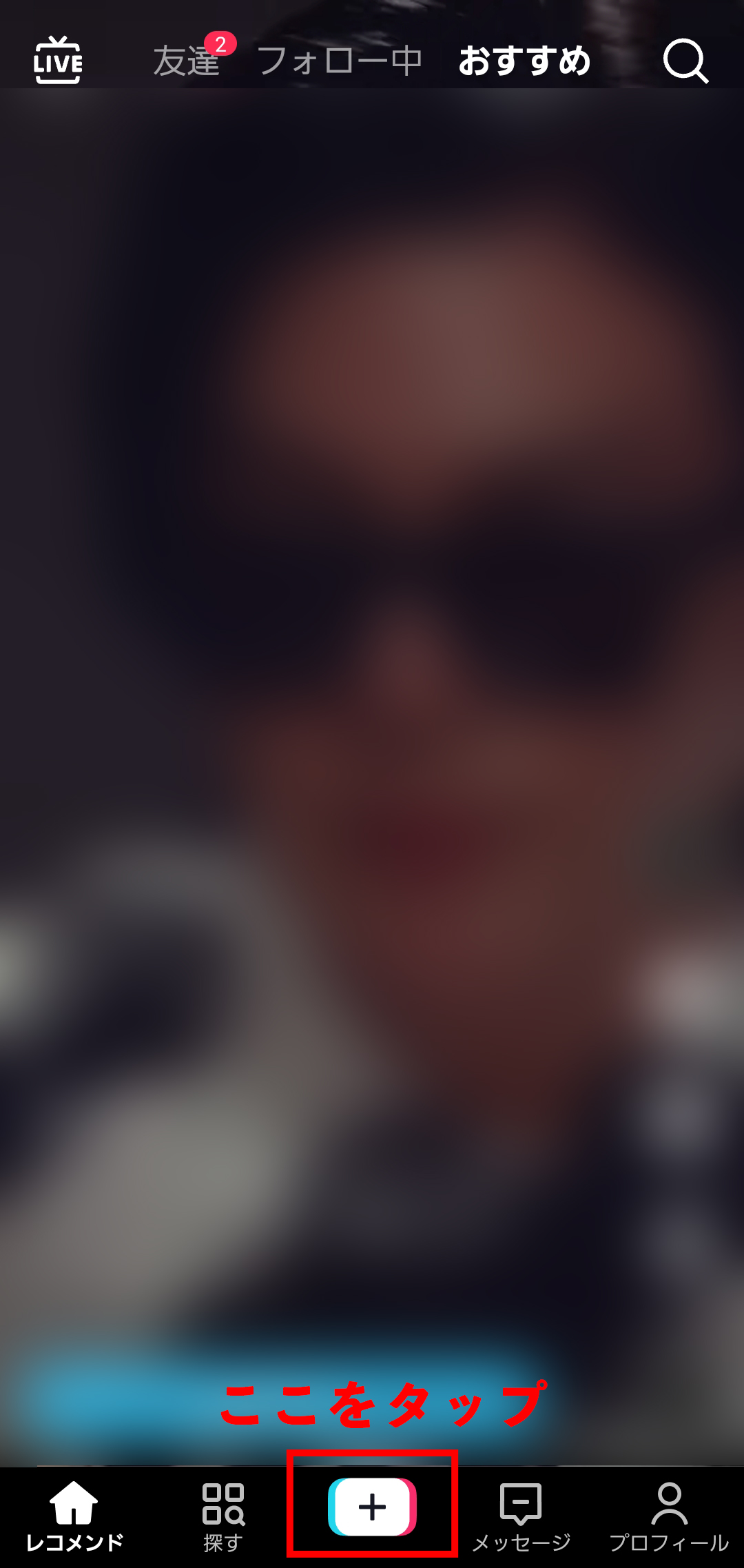
Tap the + sign to display a screen like the one shown below.
Once it appears, tap the effect in the bottom left corner of the screen.
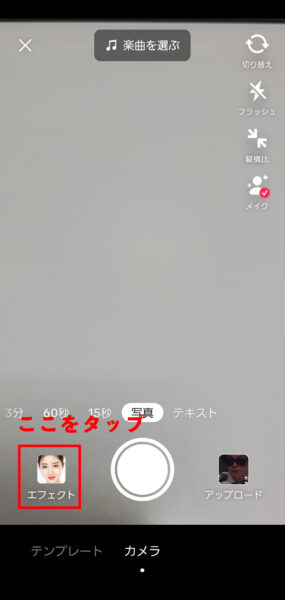
When you tap on the effect, you will see a screen like the one shown below, so scroll left on the tab and you will see an item called "Create".
In the "Create" section, there is a template required to create an effect, so you can customize the template of the effect you are interested in and create an effect as needed.
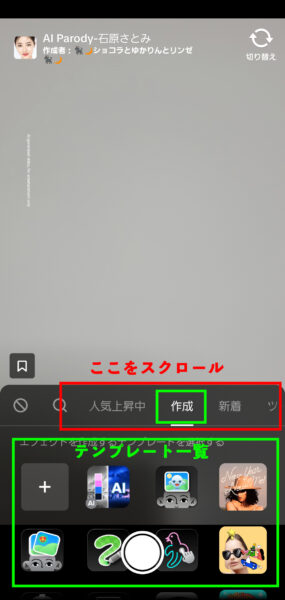
Once you've customized the effect, you can record and upload the video you're actually using to complete the effect.
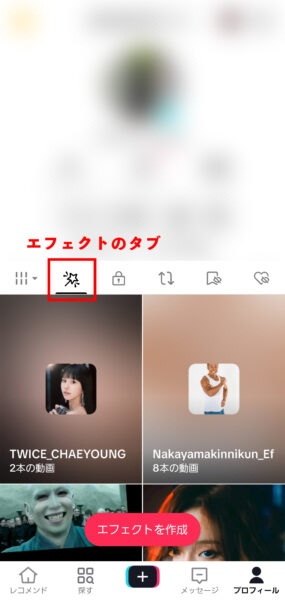
You can check the effects you created by tapping the star tab on your account profile as shown below.
summary
Steps to make TikTok effects (filters) on your phone
- Install TikTok and create an account.
- Customize the effect template.
- Shoot and upload a video of the actual use of the effect.
What did you think?
From a smartphone, the effect takes 5 minutes... No, you can make it in 3 minutes. Now you might even become an effects creator!
Please make it and play with various things!
If you are curious about TikTok effects (filters), you can also check out this article.
Do you know Effect House? (Part 1)
Do you know Effect House? (Part 2)
We provide support for SNS operations and TikTok effect production.
You can see the details at the link below, so if you are interested, please take a look!
See the details page of SNS operation support
See the Effects Creation page